

Do you have the DIY design spirit but can't figure out how to make those stunning screen mockups you keep seeing all over the internet?
You know... those graphics that feature laptop & desktop screens proudly displaying a content creator's latest course? Or a sleek styled image of a cellphone showing off a coach's new membership? What about a web designer's gorgeous portfolio filled with clean computer monitors? Believe it or not these images are EASY to make and I am here to show you EVERYTHING.
STOP
settling for "meh"
and learn all of the skills you need to know to design your own graphics using beginner-friendly (and affordable!) software + tools that you already have at your fingertips!
you can do this!

If you can scroll through this webpage...
YOU CAN MAKE YOUR OWN MOCKUPS!

What exactly are you going to learn with me?
-
Everything you need to know about screenshots on desktop & mobile
-
How to create beautiful screen mockups in 3 distinct styles (+ a bonus style!)
-
How to make mockup "flatlay" images of PDFS & printables
-
All about sizing, saving, and file formats for the graphics you create


1. Classic Standalone Screens
This style is perfect for portfolios or digital product listings. You'll learn how to create mockups of desktop, laptop, mobile, and tablet screens featuring any content that you want to showcase.

2. Styled Screen Mockups
Set your images apart by using beautiful background environments. You'll learn how to find free (and copyright free) styled images to use as the base for your screen mockup designs.

3. Branded Screen Mockups
Learn how to brand your screen mockups by creating graphics that showcase your brand's style, fonts, and colors. Graphic mockups are an engaging choice when making images for Instagram stories or Pinterest pins.

BONUS: Learn how to create slanted screenshots!
Take your DIY graphic design skills to the next level by learning some tips & tricks to expand your screen mockup options. Slanted screens are one way to really make your screen grabs stand out and I will teach you some easy ways to create these types of images yourself!
Learn how to easily mockup images & PDFs
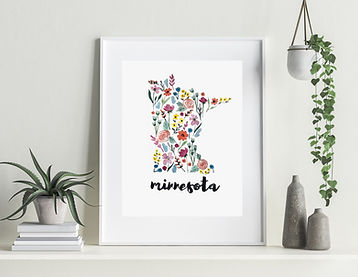


Save time (and money!) creating digital displays of your artwork, photographs, workbooks, printables and more. I'll teach you how to create mockup images that are perfect for digital product listings or to promote your online course or lead magnet. You'll learn how to put together images that will help your client get a clear picture of what you have to offer!
FAQ
Take it from these folks:
She's my go-to person for all of my Canva needs!
"Ashley’s teaching style is fun and engaging. I felt at ease because of her guidance. She makes learning easy!."
- Chris J. sageologie.com


An A+ teacher and creator.
"Ashley is such a wonderful teacher and has such a wealth of knowledge. She's just all-around the best person to have in your corner for a business."
- Jocelyn F. breatheartcalm.com


Investment
So how much is this epic, awesome, clear, concise, and downright badass Canva course going to cost me?
Drumroll please....
Get it now for just $33
Regularly $66

Instructed by Ashley Dedin,
Founder of Wix Made Simple
That's me! I've been teaching myself graphic design since my awkward teenage years of taking bad selfies and playing around in Photoshop. I believe that EVERYONE is creative and that tech doesn't need to be a hurdle! That's why I make easy to follow tutorials, trainings, and courses to help you take control of your digital presence.
What's inside:
This is a self-paced online course featuring a combination of video tutorials and a downloadable PDF guide. Your purchase gives you instant and unlimited access to all of the course content.

15 Instructional Videos
Over 2 hours of detailed instruction by video where you will see exact step-by-step instructions to support you as you learn. You have lifetime access to the course video content.

12 Page PDF Guide
You'll have instant access to a digital download full of step-by-step instructions for the techniques taught during the course. This is a handy reference for future designs!

Private Community
Struggling with a certain step of the process or just want some feedback on your designs? You'll have instant access to a private community of other DIY designers!
Please let me know when you release new courses!


